Let your accountant see your books and your taxes.
Give your accountant their own view-only login. They open your Profit & Loss and your tax-form summary and download what they need, without a phone call or a box of receipts.
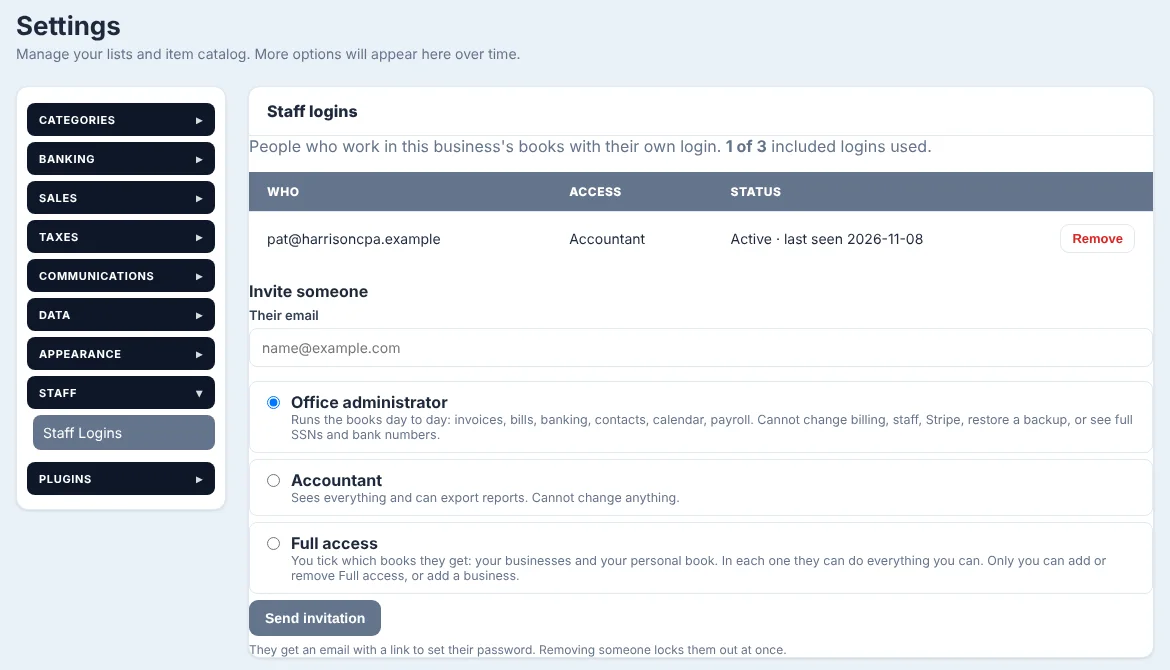
Their own login, view only
Invite your accountant from Settings, under Staff, then Staff Logins. Type their email, pick Accountant and send the invitation. They set their own password and sign in to your books.
An accountant can see everything and export reports, but cannot change anything. Their screen says Accountant, view only, so nobody wonders. Remove them and they are locked out at once.
- Invite by email from Settings, under Staff
- Sees everything, changes nothing
- Their own password, never yours
- Remove them and access ends right away
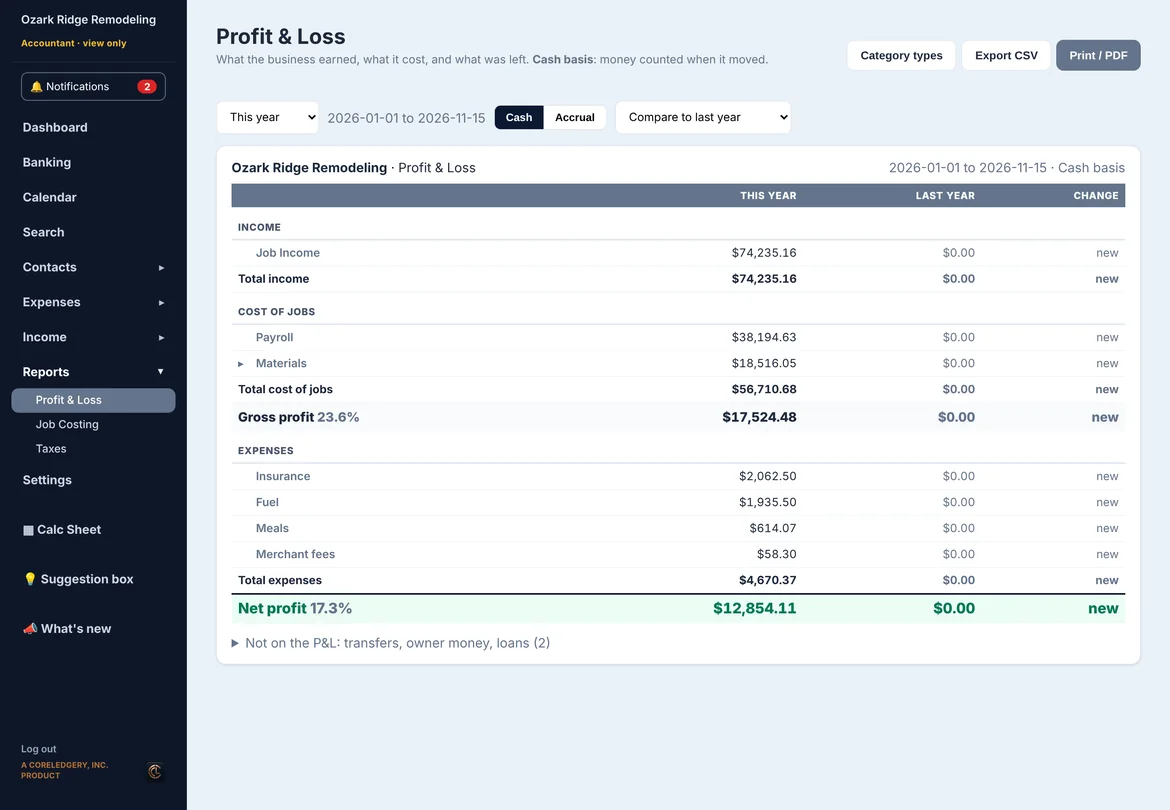
Profit & Loss, cash or accrual
Reports, then Profit & Loss shows what the business earned, what the jobs cost, the gross profit and what was left. Switch between cash and accrual with one click, and compare to last year or the period before.
Click any line to see the transactions behind it. Transfers, owner money and loans are kept off the P&L so the numbers mean what they say.
- Cash and accrual, with a switch
- Gross profit and margin
- Compare to last year or the period before
- Click a line to see what is in it
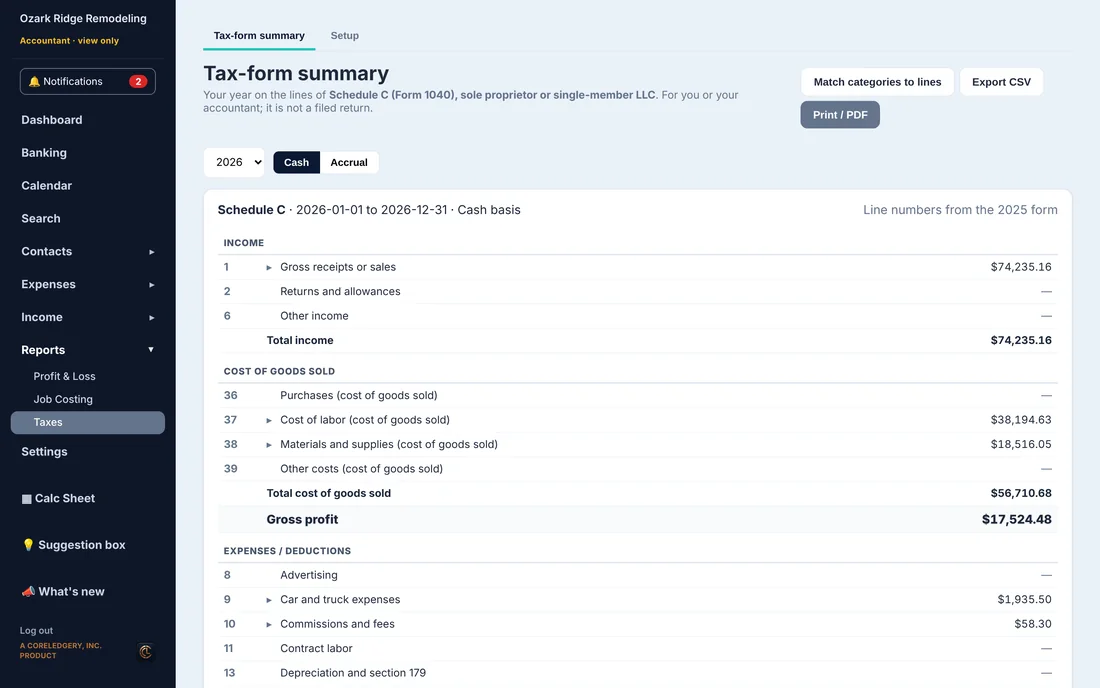
A tax-form summary for your kind of business
Reports, then Taxes lays your year out on the lines of your own return: Schedule C for a sole proprietor or single-member LLC, Form 1065 for a partnership, 1120-S for an S corporation, or 1120 for a C corporation.
Each category goes on the line you or your accountant pick, once, and stays there. Your accountant downloads it as a CSV or prints it to PDF. It is a summary to work from, not a filed return.
- Schedule C, 1065, 1120-S or 1120
- Match each category to its line once
- Cash or accrual, by year
- Export CSV and Print / PDF
Questions
Does my accountant pay for a login?
No. Staff logins come with your plan: 1 on Solo, 3 on Crew and unlimited on Business. More can be added for $8 a month each.
Can my accountant change anything?
No. The Accountant login is view only. They can look at everything and export reports, but cannot add, change or delete anything.
Does Investimates file my taxes?
No. It gives you and your accountant a P&L and a summary on the lines of your tax form. Depreciation, home office, mileage and other adjustments are up to your accountant.
Which plans have the reports?
Profit & Loss and the tax-form summary are under Reports in every plan.
See it with a real-looking business.
Open the demo, click around, change anything. No sign-up, and it resets for the next person.