The money side of your business, in one place.
Estimates your clients sign on their phone, invoices they pay online, bills and checks, your bank and cards, crew hours and what every job actually made.
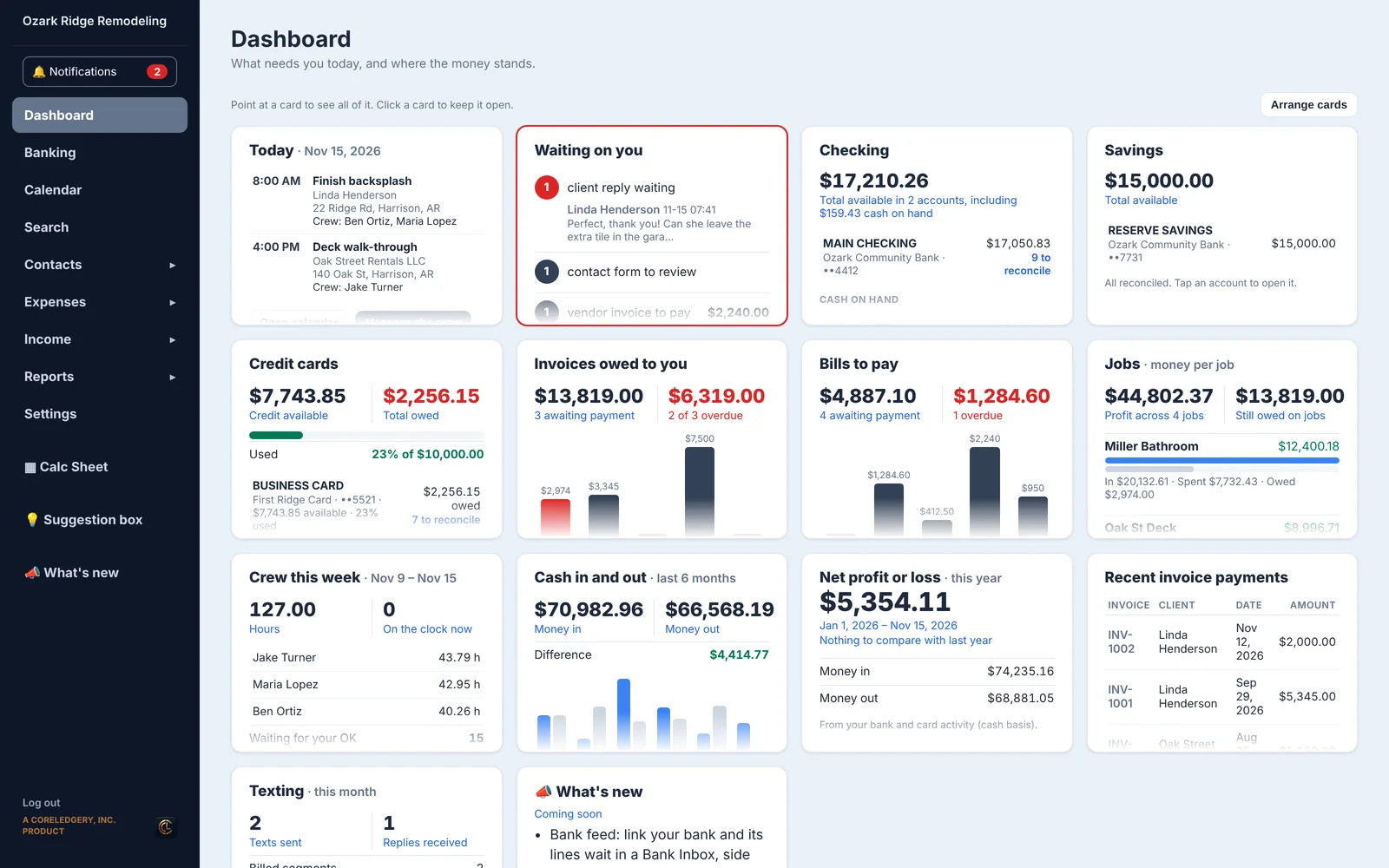
From the estimate to the bank, without retyping a thing.
Every piece talks to the next one. A signed estimate becomes the invoice, the payment lands in your books with its fees, and it all counts toward the job.
Get it signed. Get it paid.
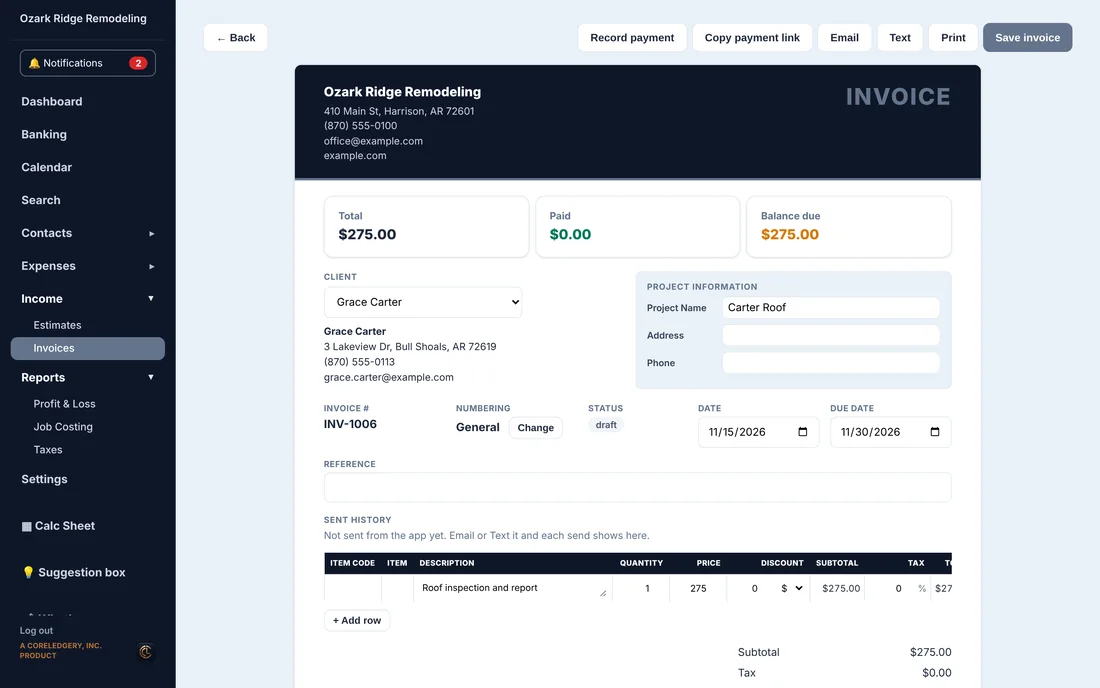
Build estimates from your own item list. Clients open them on their phone and sign. One click turns it into an invoice they can pay by card or bank.
- Client portal for estimates, invoices, photos and messages
- Payments book themselves, fees and all
- Email or text it from the app, and see when it was sent
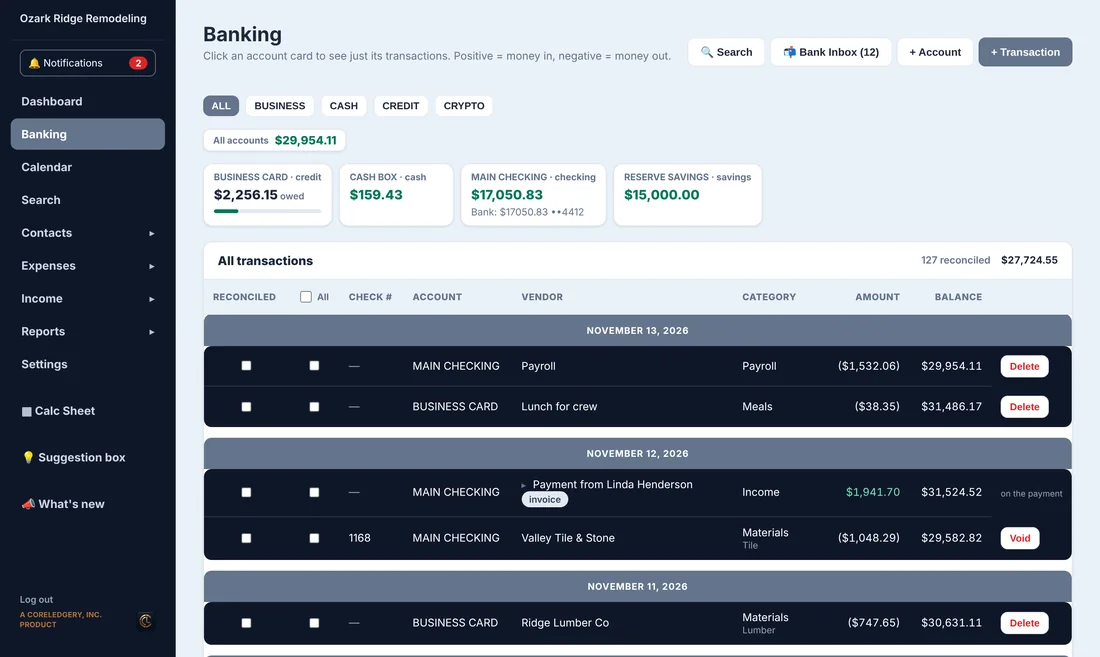
Know where every dollar is.
Checking, savings, credit cards and cash, side by side. Tick off what has cleared, print checks on your own stock and pay bills from the same screen.
- Reconcile line by line
- Check printing with your logo and signature, and room on the stub to explain it
- Bills by due date, with a vendor portal for their invoices
- Bank feed, coming soon on paid plans: your bank’s lines wait in a review inbox, side by side with your books
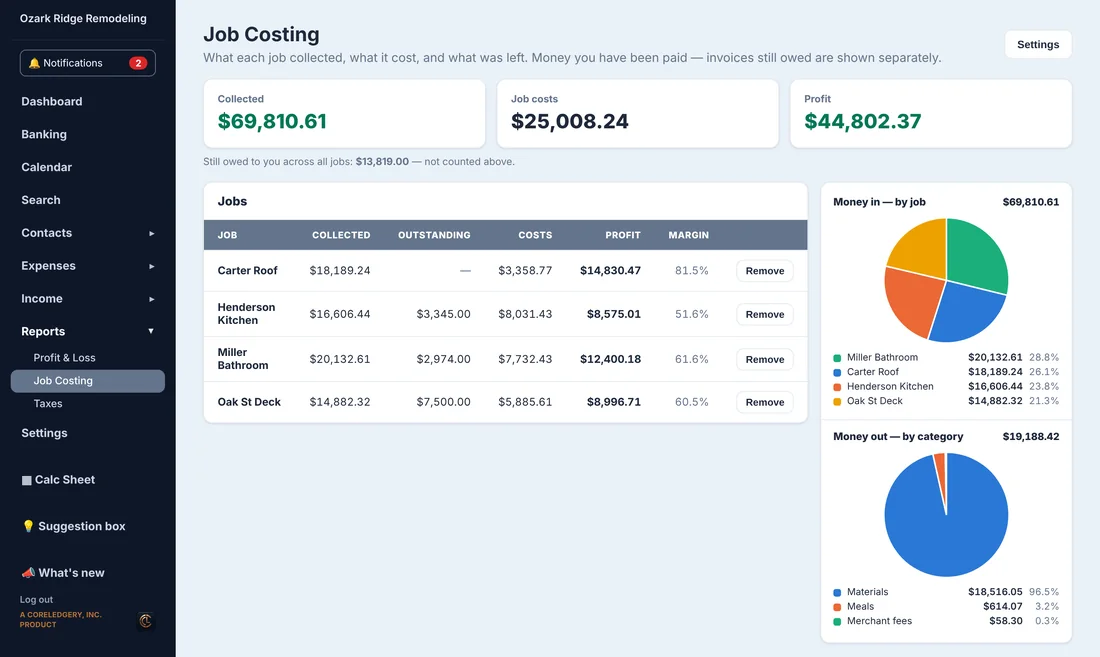
See what each job really made.
Payments, materials, bills and crew hours all land on their job, so the profit on every job is right there. No spreadsheet at the end of the month.
- Money in and money spent per job
- Spending by category
- What is still owed on each job
Your schedule and your crew, in step.
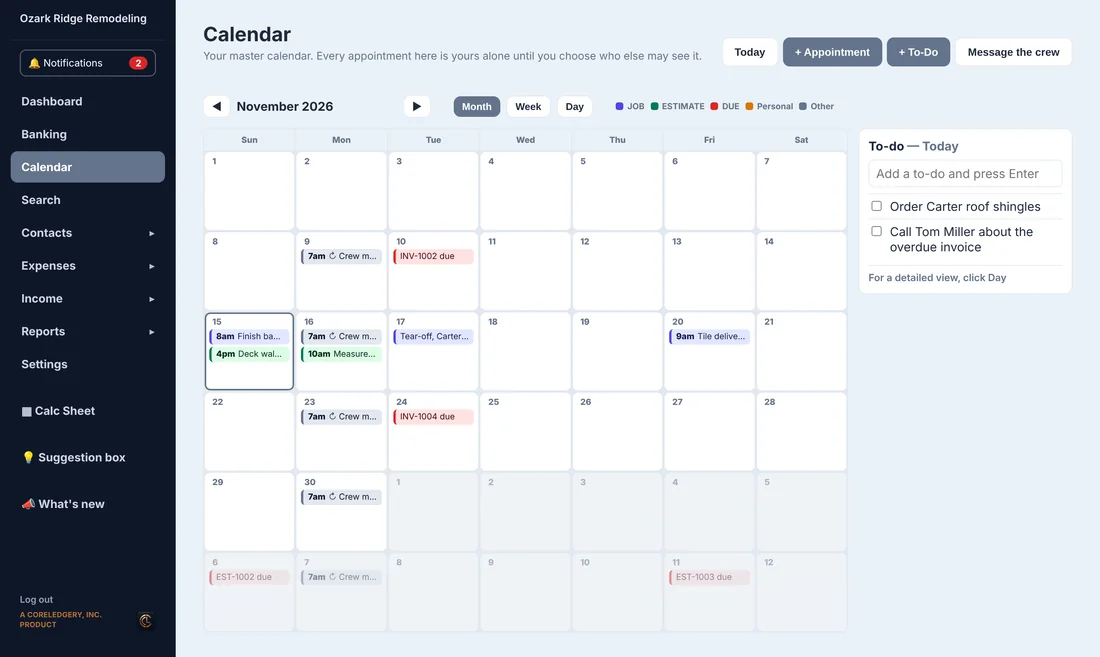
Put the job on the calendar, pick the crew and they get the address and notes by text. Clients get a reminder before you show up. Crew clock in on their own app.
- Repeating appointments and to-dos
- Text and email reminders
- Crew group chat, with the office in it
- Time sheets by pay week
Text from your own number
Clients and crew in one inbox, saved to their contact.
Client & vendor portals
Clients pay and sign; vendors send their invoices.
A dashboard that tells you what's next
What's waiting on you, what's owed and what's due.
More than one business
Each business its own books, plus a personal one.
Staff logins
An office admin or your accountant, each with the right access.
Sign-up QR codes
New clients, employees and vendors fill in their own details.
Receipts by photo
Snap it on the job and keep it with the expense.
Cloud backup
Your books copied off-site, ready to restore.
One record per person
Client, vendor, crew or family: one contact. Typed someone in twice? Merge them.
Bank feed (coming soon)
Your bank’s lines in a review inbox. Nothing lands until you say so.
Check stubs that explain
Two free columns under the memo for gas refunds and advances.
Forms that don’t go stale
Sign-up links expire in 7 days. Resend in one click, or fill it in yourself.
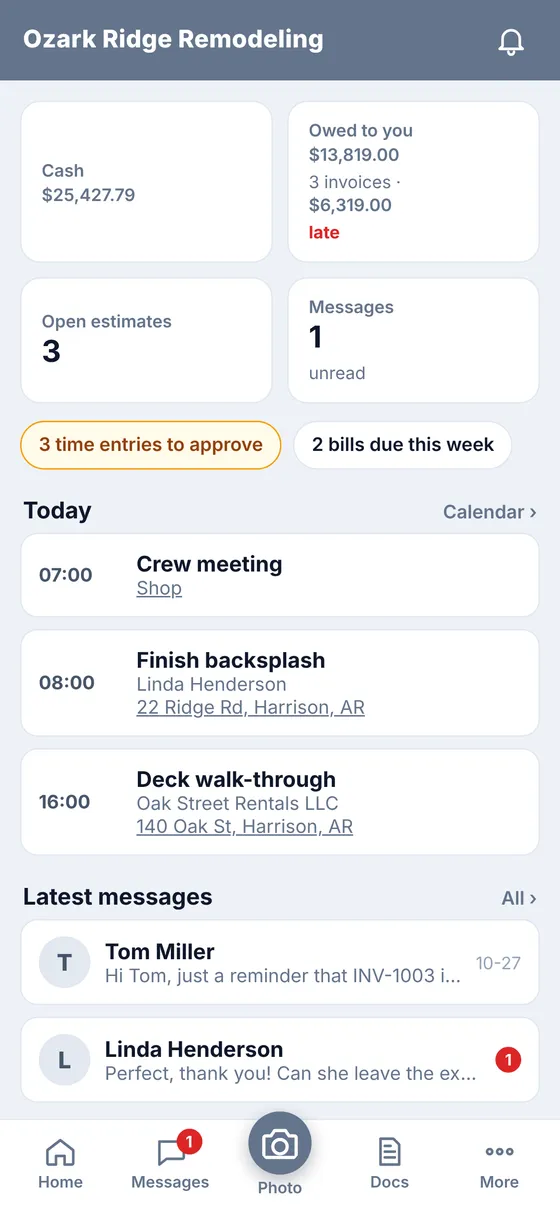
Run it from the truck.
Two phone apps, both free with your account.
Operator App
For you: today's jobs, money owed, messages, photos of receipts and quick estimates and invoices.
Crew App
For your crew: clock in and out, see their jobs and the address, chat as a crew and message the office.
Simple monthly pricing.
Start free. Move up when the business does. Turn things off any time and the unused days are credited.
Free
Your personal book and full banking on 2 bank accounts. Pick and choose your own setup, and control the money you spend.
- Personal book
- Full banking
- 2 bank accounts
Beta
Limited offer: everything in Crew for $30 a month, locked in for life. Once Beta closes it is gone, except for those who joined.
- Everything in Crew
- Price locked for life
- Texting plugin, paid for by use
Solo
For one person running jobs: estimates, invoices and getting paid.
- Everything in Free
- Estimates and invoices
- Online payments
- Calendar
- Client and vendor portals
- Check printing
- Item catalog
- Email sending
- 12 more bank accounts
- Calc Sheet
- 1 business book (plus your free personal one)
- 1 staff login
Crew
Everything in Solo, plus your crew and their time.
- Everything in Solo
- Employees, Time Sheet and the Crew App
- Bills
- Job Costing
- Sign-up QR and forms
- Cloud Backup
- 3 staff logins
- Texting plugin, paid for by use
Business
Everything in Crew, for more than one business.
- Everything in Crew
- 3 business books (4 in all with your personal one)
- Unlimited staff logins
Add-ons, on any plan
Prices in US dollars. Card processing fees on online payments are Stripe's and are shown on each payment.
Questions contractors ask.
What is Investimates?
Investimates is business software for contractors. It runs the money side of a contracting business in one app: estimates, invoices, online payments, bills and checks, bank and card accounts, crew hours and job profit. It is made by CoreLedgery, Inc. in Arkansas.
Who is it for?
Contractors and the trades: remodelers, builders, tile, plumbing, electrical, roofing, handymen and small crews. It is built for owners who run jobs during the day and do the books at night.
How much does it cost?
Free to start: a personal book with full banking on 2 bank accounts. Solo is $24 a month, Crew is $54 a month (adds employees, the Crew App, bills and job costing) and Business is $104 a month for more than one business. A limited Beta plan is $30 a month, locked in for life.
Can my clients sign estimates and pay online?
Yes. Clients open the estimate on their phone and sign it, and the signed estimate becomes the invoice in one click. They pay by card or bank, straight into your own Stripe account, and the payment and its fees land in your books by themselves.
Does it show what each job made?
Yes. Every invoice, payment, fee, bill and crew hour counts toward its job, and each job shows what it collected, what it cost and the profit, with a bar chart and a pie chart.
Is there a phone app?
Two. The Operator App is for the owner, on iPhone and Android. The Crew App is for your crew on iPhone and Android: clock in and out, send receipts with the job, see the schedule, chat as a crew and message the office.
Can I try it without signing up?
Yes. The demo is a sample contracting business you can click around in. No sign-up, nothing saved, and it resets for the next person.
Can my accountant get in?
Yes. Give your accountant their own read-only Accountant login, or an office administrator a login of their own. Each plan includes staff logins.
See it with a real-looking business.
Open the demo, change anything you like, and leave when you're done. It resets for the next person.